Why Development Programmes Should Integrate KoboToolbox, ODK, Excel and Power BI Instead of Replacing Them
Replacing every system is rarely the best strategy. Learn why development programmes achieve better operational outcomes by integrating KoboToolbox, ODK Central, Excel and Power BI through an Operational Intelligence layer.

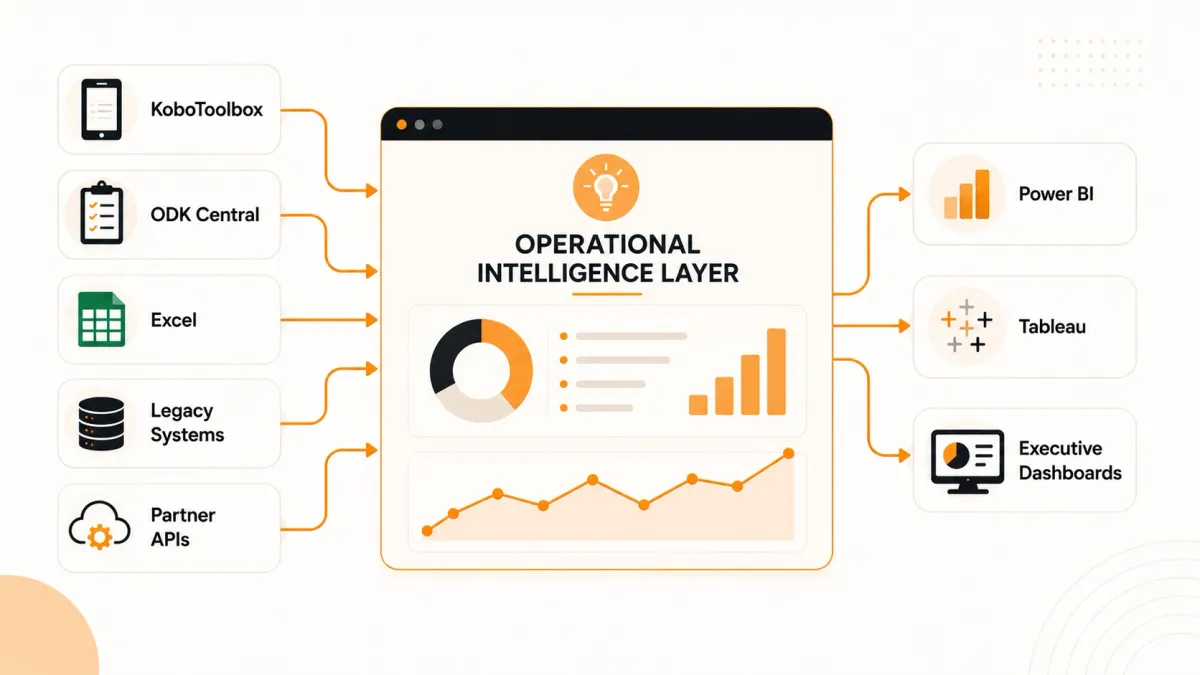
The most successful digital transformation projects rarely begin by replacing every existing system. They begin by connecting the right systems, standardising operational workflows and creating a single source of truth for decision-making.
Key Takeaways
- Replacing every existing tool is usually unnecessary.
- Development programmes often benefit more from integration than migration.
- Operational Intelligence connects field operations across multiple data sources.
- Existing investments in KoboToolbox, ODK, Excel and Power BI can continue delivering value.
- A unified operational model creates better reporting, stronger governance and more consistent decision-making.
Many organisations begin their technology journey with a simple question:
Should we replace our existing tools?
It's an understandable question.
Perhaps your teams already use KoboToolbox for mobile data collection.
Another department relies on ODK Central.
Finance works in Excel.
Leadership reviews Power BI dashboards.
A government partner maintains its own reporting system.
At first glance, this looks like a problem.
Surely the answer is to replace everything with one platform?
Not necessarily.
In fact, many large technology projects fail because they try to replace systems that already work well.
Operational maturity comes from connecting proven tools—not forcing every team onto a single application.
The Replace-Everything Myth
Software vendors often promise a single platform that will solve every operational challenge.
In practice, development programmes have accumulated technology over many years for good reasons.
Different tools excel at different jobs.
- KoboToolbox is excellent for rapid mobile data collection.
- ODK Central supports robust technical deployments.
- Excel remains invaluable for analysis and ad hoc reporting.
- Power BI and Tableau provide powerful executive analytics.
The challenge is rarely the individual tools.
The challenge is that they often operate in isolation.
When data, workflows and reporting are disconnected, programme teams spend more time reconciling information than improving programme delivery.
A Better Question
Instead of asking:
Which tool should we replace?
Ask:
How can we connect the tools that already work well into one operational model?
That shift in thinking changes everything.
Integration focuses on continuity, governance and operational visibility instead of disruption.
The Best Technology Stack Is Connected, Not Consolidated
Think of your technology ecosystem as a team rather than a competition.
Each system should perform the role it was designed for while contributing to a shared operational picture.
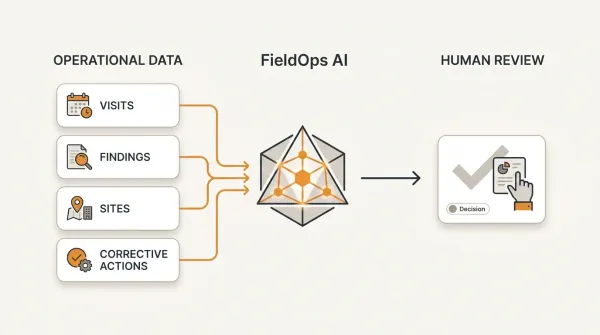
KoboToolbox ──┐
              │
ODK Central ──┤
              │
Excel ────────┤
              │
Legacy Systems├────► Operational Intelligence Layer ───► Power BI / Tableau / Executive Dashboards
              │
Partner APIs ─┤
              │
Other Systems ┘
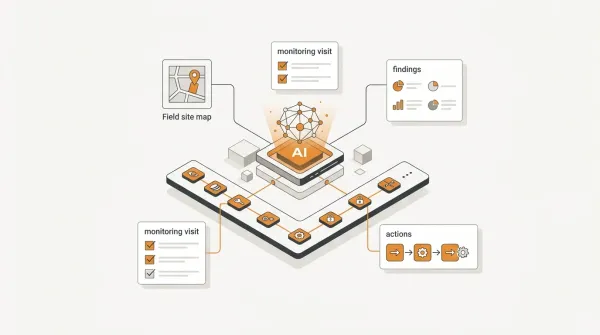
The Operational Intelligence layer becomes the bridge between operational systems and executive decision-making.
Instead of replacing trusted tools, it provides one operational model that connects them.
Integration allows organisations to preserve existing investments while improving governance, visibility and accountability.
Why Integration Beats Migration
Large-scale system replacements are expensive, disruptive and often unnecessary.
A well-designed integration strategy usually delivers value much faster.
| Replace Everything | Integrate Existing Systems |
|---|---|
| High organisational disruption | Incremental improvement |
| Extensive retraining | Teams keep familiar tools |
| Longer implementation | Faster operational benefits |
| Greater project risk | Lower implementation risk |
| Multiple change programmes | Controlled evolution |
The objective is not technological uniformity.
The objective is operational consistency.
When every programme follows the same operational workflow, leadership gains reliable insight even if different teams use different collection tools.
Real-World Scenarios
A National NGO
Monitoring teams use KoboToolbox.
Finance relies on Excel.
Leadership reports through Power BI.
Rather than replacing every system, the organisation standardises workflows and reporting while allowing each team to continue using the tools that suit them best.
A Government Programme
Different departments have adopted different systems over many years.
Replacing them all would require significant budget, training and organisational change.
A connected operational model allows departments to continue working while improving organisation-wide visibility.
A Multi-Partner Consortium
Several implementing partners deliver the same donor-funded programme.
One partner uses KoboToolbox.
Another uses ODK Central.
A third submits structured Excel templates.
The donor does not want three different reports.
They want one trusted operational picture.
An Operational Intelligence layer standardises reporting without forcing every partner onto the same technology.
How Modern Operational Intelligence Platforms Solve This
Connecting systems is not simply a technical exercise.
It is an architectural decision that determines whether an organisation has one trusted operational picture—or several disconnected versions of reality.
The strongest Operational Intelligence platforms are built around a small number of principles that remain valid regardless of the technology stack.
Principle 1: Create One Operational Model
Every operational system stores information differently.
KoboToolbox organises data around forms and submissions.
ODK Central has its own project and submission structure.
Excel stores rows and columns.
Legacy databases often use custom schemas developed over many years.
If each system is reported independently, the organisation ends up with different definitions of the same indicator, duplicated reports and conflicting numbers.
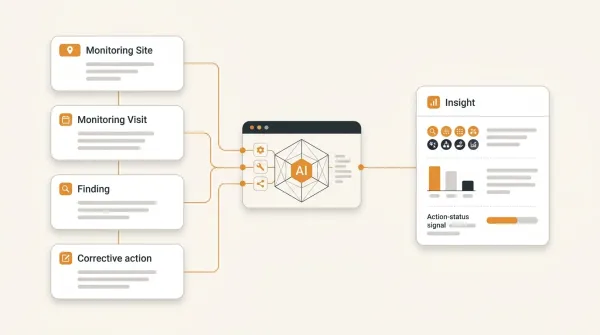
Modern Operational Intelligence platforms solve this by translating incoming information into one consistent operational model.
The objective is not to preserve every source system exactly as it is.
The objective is to ensure that every dashboard, KPI and report speaks the same language.
How FieldOps implements this
FieldOps maps monitoring information from sources such as KoboToolbox, ODK Central and structured Excel imports into a unified monitoring model. Regardless of where data originates, visits, indicators, findings and operational metrics follow consistent definitions that can be used across dashboards, reports and analytics.
Principle 2: Standardise Workflows, Not Just Data
Integrating data is only half the challenge.
Operational processes also need to be consistent.
Whether evidence originates from KoboToolbox, ODK Central or Excel, organisations still need to:
- plan field visits
- review submissions
- record findings
- assign corrective actions
- verify completion
- report performance
- learn from results
Technology may differ.
Operational governance should not.
How FieldOps implements this
FieldOps applies the same operational lifecycle regardless of the original data source, allowing organisations to manage planning, reviews, findings and corrective actions through one consistent workflow while preserving existing collection tools.
Principle 3: Build Once, Report Everywhere
One of the most common reporting mistakes is recreating business logic inside every reporting tool.
A KPI is calculated one way in Excel, another in Power BI and differently again in Tableau.
The result is confusion rather than insight.
Modern Operational Intelligence platforms define KPIs once and expose trusted metrics to every reporting platform.
How FieldOps implements this
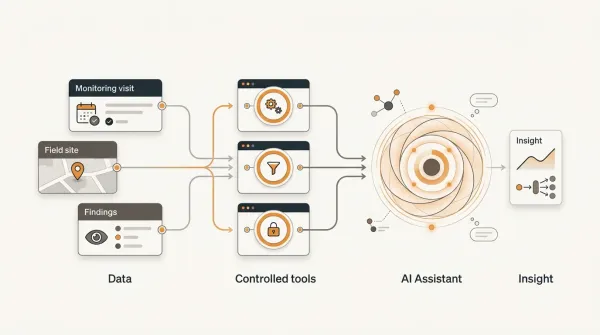
FieldOps centralises KPI definitions and exposes governed reporting datasets through its BI API. Power BI, Tableau, Excel and other analytics platforms can all consume the same trusted operational metrics instead of maintaining separate calculations.
Principle 4: Design for Scale From the Beginning
A reporting solution that performs well with ten thousand records may struggle with ten million.
As development programmes expand, dashboards should remain responsive without slowing the operational application used by field teams.
This requires separating operational processing from analytical reporting.
How FieldOps implements this
FieldOps maintains analytics-optimised datasets that are synchronised with operational data and designed specifically for reporting workloads. This architecture allows organisations to analyse large volumes of monitoring information through Power BI, Tableau and other BI tools without placing heavy reporting queries on day-to-day operational transactions.
The future of Operational Intelligence is not replacing every system. It is creating one trusted operational model that allows every system to work together.
An Integration Readiness Checklist
Before introducing another application into your technology stack, evaluate whether your organisation is ready to integrate systems effectively.
Operational Readiness
Ask questions such as:
- Do different teams use different data collection tools?
- Are programme managers manually combining reports from multiple sources?
- Are KPIs calculated differently across departments?
- Do leadership teams struggle to obtain one trusted operational view?
If the answer to several of these questions is "yes", the priority may be improving integration rather than purchasing another standalone application.
Technical Readiness
A modern integration approach should support:
- Secure APIs
- Consistent operational identifiers
- Role-based access to data
- Reliable audit trails
- Analytics-ready datasets
- Scalable reporting architecture
Integration should simplify operations—not introduce another layer of complexity.
Common Integration Mistakes
Many integration projects become unnecessarily difficult because they focus on moving data instead of improving operations.
Avoid these common mistakes:
| Mistake | Better Approach |
|---|---|
| Replacing systems that already work | Connect trusted systems through a shared operational model |
| Building separate KPIs in every reporting tool | Maintain one governed KPI definition |
| Relying on repeated spreadsheet exports | Use secure integrations and analytics-ready datasets |
| Treating integration as an IT project | Treat it as an operational transformation initiative |
| Connecting systems without standardising workflows | Align operational processes before integrating technology |
Successful integration is measured by better decisions, not by the number of connected systems.
Our Recommendation
Most development programmes do not need fewer tools.
They need those tools to work together.
Keep the applications that already deliver value.
Strengthen the operational processes that connect them.
Choose an Operational Intelligence platform that can:
- integrate with existing collection tools
- standardise operational workflows
- govern KPI definitions
- expose trusted reporting datasets
- support executive reporting through familiar BI platforms
That approach reduces disruption while creating a stronger foundation for future growth.
Final Thoughts
Digital transformation is often described as replacing legacy systems.
In practice, successful organisations usually take a different path.
They preserve what already works.
They improve what does not.
Most importantly, they create one trusted operational model that allows people, processes and technology to work together.
That is the role of an Operational Intelligence layer.
It connects field operations without forcing organisations to abandon the investments they have already made.
Move beyond data collection
FieldOps helps NGOs manage field visits, monitoring templates, findings, corrective actions, dashboards and donor reporting in one operational intelligence platform.
Learn more about FieldOps