KoboToolbox to DHIS2: How NGOs Can Automate Data Synchronization
Learn how to connect KoboToolbox and DHIS2, avoid duplicate data entry, map field data correctly, handle validation and synchronization, and build a reliable NGO reporting workflow.
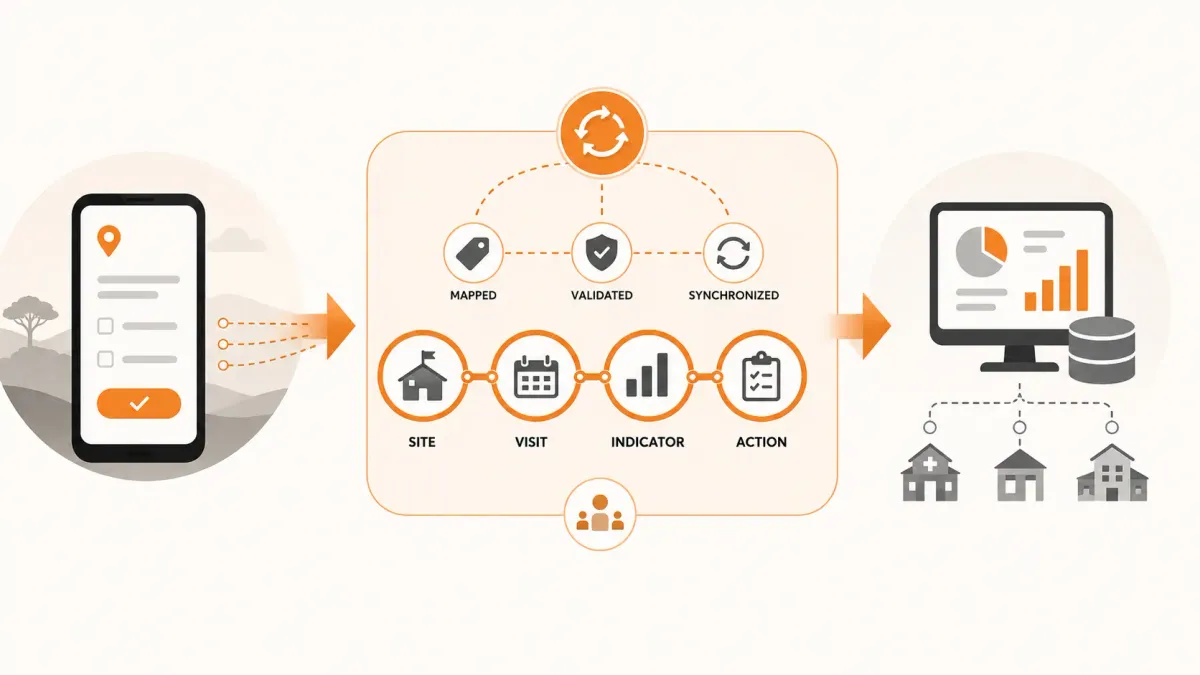
Many NGOs and public health programs use more than one digital information system.
KoboToolbox may be used for surveys, assessments, field monitoring and other forms of structured data collection. DHIS2 may be used for routine health information, indicators, organizational units, reporting and analysis.
Both systems can be valuable.
The problem begins when information collected in KoboToolbox needs to become part of a DHIS2 workflow.
Without a well-designed integration, teams may end up downloading KoboToolbox data, cleaning it in Excel, transforming it manually, entering it into DHIS2, and then checking whether the records were transferred correctly.
That creates duplicate work and introduces opportunities for:
- transcription errors,
- inconsistent identifiers,
- missing records,
- duplicate records,
- incorrect organizational-unit mappings,
- inconsistent reporting periods,
- failed imports,
- delayed reporting,
- and uncertainty about which system contains the authoritative information.
A well-designed KoboToolbox-to-DHIS2 integration can reduce this manual work.
But successful synchronization is not simply a matter of connecting two APIs.
The difficult part is usually data mapping, identity management, validation, error handling and deciding what each system is responsible for.
This guide explains how NGOs can approach KoboToolbox-to-DHIS2 integration as part of a broader monitoring and reporting architecture.
Why organizations use both KoboToolbox and DHIS2
KoboToolbox and DHIS2 are designed around different needs.
KoboToolbox is widely used for flexible field data collection. It supports structured forms, offline data collection and collection of information that may vary considerably from one project or assessment to another.
DHIS2 is a broader health information platform used by organizations and health systems to manage data, reporting, indicators, organizational hierarchies and analysis.
An organization may therefore have a workflow such as:
Field data collection → KoboToolbox
Routine health information → DHIS2
This can be entirely reasonable.
The problem is what happens when the same information needs to move between the two systems.
For example, an NGO may use KoboToolbox to conduct a facility assessment but need selected results to become part of an existing DHIS2 reporting workflow.
The question then becomes:
How can the organization move the right information from KoboToolbox into DHIS2 reliably without creating another manual data-entry process?
The basic KoboToolbox-to-DHIS2 workflow
At a high level, the integration looks like this:
KoboToolbox
↓
Extract submissions
↓
Validate and transform data
↓
Map Kobo fields to DHIS2 data elements
↓
Map facilities/sites to DHIS2 organisation units
↓
Resolve reporting period
↓
Validate the DHIS2 payload
↓
Send data to DHIS2
↓
Check response
↓
Record success or failure
This sounds straightforward.
In practice, every arrow represents a potential source of failure.
A reliable integration therefore needs more than an API connection.
The five things that must be mapped
The most important part of a KoboToolbox-to-DHIS2 integration is usually the mapping layer.
At minimum, organizations need to understand five relationships.
1. Kobo form fields to DHIS2 data elements
A Kobo form might contain:
| Kobo field | Example |
|---|---|
children_screened |
125 |
children_referred |
17 |
stock_available |
Yes |
reporting_month |
July 2026 |
DHIS2 may use completely different identifiers for the corresponding data elements.
The integration therefore needs an explicit mapping.
For example:
| Kobo field | DHIS2 data element |
|---|---|
children_screened |
Data Element A |
children_referred |
Data Element B |
stock_available |
Data Element C |
The integration should not depend on matching human-readable names alone.
Stable identifiers are safer.
2. Kobo sites to DHIS2 organisation units
This is one of the most important mappings.
A Kobo submission may contain:
Kapsabet Health Centre
while DHIS2 may identify the same facility using an organisation-unit UID.
The integration needs to know that both refer to the same operational location.
For example:
| Kobo site | DHIS2 organisation unit |
|---|---|
| Kapsabet Health Centre | abc123xyz |
| Nandi Hills Health Centre | def456xyz |
If this mapping is incorrect, the data can be successfully transmitted to DHIS2 and still be operationally wrong.
That is more dangerous than a technical failure because the system may appear to work.
3. Kobo reporting dates to DHIS2 periods
The two systems may represent time differently.
A Kobo form might capture:
2026-07-15
while DHIS2 may expect a monthly period:
202607
If the organization intends the submission to represent July 2026, the integration must resolve the date to the correct DHIS2 reporting period.
This becomes particularly important when a form collects data over several dates or when reporting frequency varies between monthly, quarterly and annual datasets.
4. Kobo values to DHIS2 value types
The values collected by KoboToolbox must be compatible with what DHIS2 expects.
For example:
125
may be a numeric value.
But:
Yes
may need to correspond to a coded option or category combination in DHIS2.
Similarly, a Kobo field containing:
Male
may need to map to a particular DHIS2 category option.
The integration therefore needs to understand not only which field maps to which data element, but also how the value should be transformed.
5. Projects and programs to the appropriate DHIS2 structure
This is where integrations become more complicated for NGOs.
KoboToolbox may organize information around forms and projects.
An NGO may organize its operations around:
Program → Project → Site
DHIS2 may organize information around:
Data set → Organisation unit → Period → Data element
These structures are not necessarily equivalent.
Trying to force them into a one-to-one relationship can create confusion.
A good integration explicitly defines what each system represents.
Why direct field-to-field copying often fails
A common first attempt at integration is:
Kobo field A → DHIS2 field A
This works for simple datasets.
It becomes unreliable when the systems have different structures.
Consider a Kobo form that contains:
- Project
- Site
- Visit date
- Indicator
- Result
- Finding
- Recommendation
- Photo
- Narrative comment
A DHIS2 dataset may not have direct equivalents for all of these fields.
That does not mean the integration has failed.
It means the organization needs to determine which information belongs in DHIS2 and which information belongs elsewhere.
For example:
| Information | Possible destination |
|---|---|
| Indicator value | DHIS2 |
| Reporting period | DHIS2 |
| Facility | DHIS2 organisation unit |
| Monitoring finding | Operational monitoring system |
| Corrective action | Operational monitoring system |
| Photo evidence | Operational monitoring system |
| Narrative observation | Operational monitoring system |
| Program/project relationship | Operational monitoring system |
This is an important architectural principle:
Not every field collected in KoboToolbox needs to be transferred to DHIS2.
The objective is not to duplicate everything.
The objective is to transfer the information that DHIS2 is responsible for while preserving the rest in the system designed to manage it.
Avoid duplicate data entry
One of the strongest reasons to integrate KoboToolbox and DHIS2 is to eliminate unnecessary re-entry.
Without integration:
Field officer
↓
KoboToolbox
↓
M&E officer downloads data
↓
Excel cleaning
↓
M&E officer enters data into DHIS2
↓
DHIS2 reporting
This introduces an unnecessary manual step.
With a properly designed integration:
Field officer
↓
KoboToolbox
↓
Validation and transformation
↓
DHIS2
The M&E team can then spend more time reviewing data quality and program performance rather than copying values between systems.
But automation does not remove the need for validation
This is a critical point.
Automated data transfer is not the same thing as automated data quality.
An integration can successfully send incorrect information from KoboToolbox to DHIS2.
For example:
- the wrong facility may be selected,
- a reporting period may be incorrect,
- an indicator may be mapped incorrectly,
- a required value may be missing,
- a number may be outside an expected range,
- or a form submission may be duplicated.
The integration therefore needs validation before transmission.
Useful validation checks include
Required fields
Is the required information present?
Site mapping
Does the Kobo site have a valid DHIS2 organisation-unit mapping?
Data element mapping
Does every value being transferred have a valid DHIS2 destination?
Reporting period
Can the submission be associated with a valid DHIS2 period?
Data type
Is a numeric field actually numeric?
Range
Is the value within a reasonable range?
Duplicate detection
Has the same submission already been synchronized?
Referential integrity
Does the associated project, site or reporting period exist in the expected structure?
These checks should happen before the integration writes data to the destination system whenever possible.
Use stable identifiers instead of names
Names are useful for people.
Identifiers are better for integrations.
Suppose Kobo contains:
Kapsabet HC
and DHIS2 contains:
Kapsabet Health Centre.
A text comparison may conclude that they are different.
Even worse, two different facilities could have similar names.
A stronger design maintains an explicit mapping:
| Internal site | Kobo value | DHIS2 UID |
|---|---|---|
| Site 001 | Kapsabet HC | abc123 |
| Site 002 | Nandi Hills HC | def456 |
The integration then uses the stable identifiers rather than relying on fuzzy name matching.
This becomes increasingly important as an organization grows.
Design for failed synchronization
A production integration should assume that failures will occur.
Examples include:
- Kobo API unavailable,
- DHIS2 unavailable,
- authentication failure,
- invalid data element,
- invalid organisation unit,
- invalid period,
- missing required value,
- network timeout,
- duplicate record,
- server-side validation error.
The wrong response is:
The synchronization failed.
The useful response is:
Which record failed, why did it fail, and what should happen next?
A robust integration should therefore maintain a synchronization history.
For example:
| Submission | Site | Period | Status | Error |
|---|---|---|---|---|
| 10021 | Site 01 | July 2026 | Synced | — |
| 10022 | Site 02 | July 2026 | Failed | Invalid data element |
| 10023 | Site 03 | July 2026 | Synced | — |
This turns synchronization into a manageable operational process.
Make synchronization idempotent
An integration should be able to run again without creating duplicate records.
This property is commonly described as idempotency.
Suppose a synchronization process retrieves 100 Kobo submissions.
It successfully sends 80.
The connection fails.
When the process runs again, it should not create duplicate DHIS2 records for the 80 submissions that were already processed.
Instead, it should recognize which records have already been synchronized and process only the remaining records or safely update the appropriate records.
A useful synchronization record might contain:
- Source record ID
- Destination record ID
- Source system
- Destination system
- Synchronization status
- Last attempt
- Successful synchronization time
- Error message
- Number of attempts
This makes the integration auditable and recoverable.
Decide between real-time and scheduled synchronization
Not every workflow needs real-time synchronization.
There are several possible approaches.
Real-time
A Kobo submission triggers an integration immediately.
This is useful when the destination system needs information quickly.
Scheduled
A synchronization job runs every hour, every few hours or once per day.
This is often simpler and more resilient for routine reporting workflows.
Batch
The organization synchronizes a defined reporting period in batches.
This can be appropriate for monthly or quarterly reporting.
The right choice depends on the operational requirement.
A useful question is:
How quickly does DHIS2 actually need this information?
If the answer is "by the end of the reporting day," there may be little benefit in building a complex real-time integration.
Keep an audit trail
A production integration should make it possible to answer:
- What was transferred?
- When was it transferred?
- From which source record?
- To which DHIS2 record?
- Which mappings were used?
- Was the transfer successful?
- If it failed, why?
- Was it retried?
- Was the destination record subsequently updated?
This is especially important for organizations operating donor-funded programs or health programs where data accountability matters.
An integration should not be a black box.
Common KoboToolbox-to-DHIS2 integration mistakes
Mistake 1: Mapping by display name only
Names change.
Identifiers are more reliable.
Mistake 2: Sending every Kobo field to DHIS2
Not every field belongs in DHIS2.
Map information according to its purpose.
Mistake 3: Ignoring organisation-unit mapping
A technically successful transfer to the wrong facility is still a failed integration.
Mistake 4: Ignoring reporting periods
Date conversion must be explicit.
Mistake 5: No duplicate protection
Retrying a failed synchronization should not create duplicate records.
Mistake 6: No error history
If an integration fails, the team needs enough information to diagnose the problem.
Mistake 7: Treating successful API responses as proof of data quality
A server accepting a payload does not necessarily mean the underlying program information is correct.
Mistake 8: Building a point-to-point integration for every system
As organizations add systems, point-to-point integrations can become difficult to maintain.
A broader operational data architecture can be easier to manage.
A better architecture for NGOs using KoboToolbox and DHIS2
For organizations using both platforms, a useful architecture may look like this:
Field data collection
KoboToolbox / ODK
↓
Integration and validation
Mapping + transformation + quality checks
↓
Operational monitoring
Projects + Sites + Visits + Findings + Actions
↓
Routine information
DHIS2
↓
Analysis and reporting
Dashboards + Reports + Donor reporting
This architecture recognizes that different systems have different responsibilities.
KoboToolbox does not need to become a project management system.
DHIS2 does not need to become a corrective-action tracker.
A dedicated operational monitoring layer can connect the two.
Where FieldOps fits
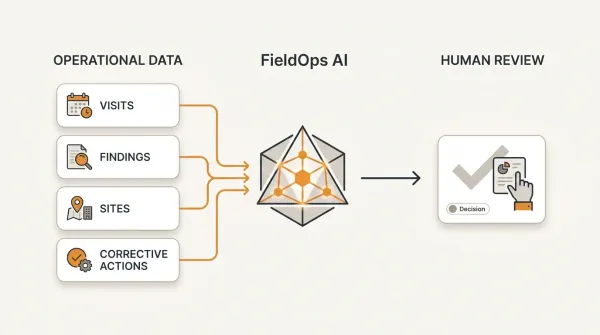
FieldOps is designed for organizations that need to manage the operational monitoring layer around their existing data systems.
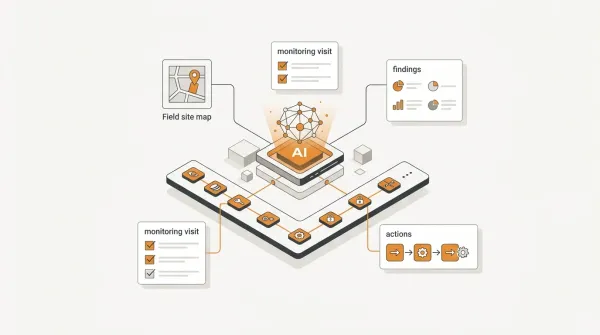
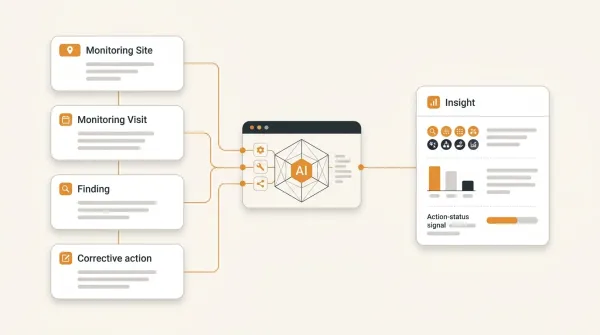
Instead of treating a KoboToolbox submission as an isolated record, FieldOps can associate monitoring information with the operational structure of the organization:
Organization → Program → Project → Site → Visit → Responses → Findings → Actions
This matters because an NGO usually does not manage "submissions."
It manages programs and projects implemented at sites, monitored through visits, measured through indicators and improved through follow-up actions.
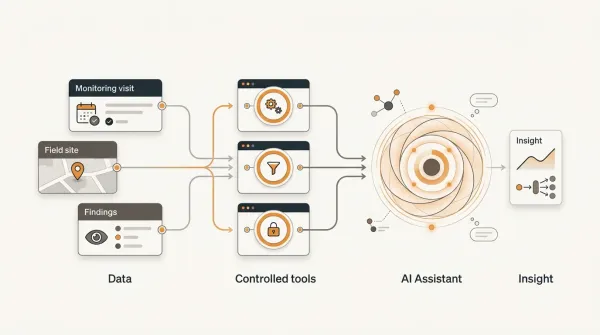
FieldOps can also work with multiple data sources, allowing organizations to build a monitoring workflow without requiring every existing system to be replaced.
For example:
KoboToolbox
can remain the field data collection layer.
DHIS2
can remain the routine health information and reporting layer.
FieldOps
can provide the operational monitoring layer connecting projects, sites, visits, findings, actions and performance.
This approach allows organizations to keep systems that already work while reducing the fragmentation around them.
Example: a health program using KoboToolbox, DHIS2 and FieldOps
Consider an NGO supporting maternal and child health services across 60 facilities.
The organization uses KoboToolbox for monthly facility monitoring.
The monitoring form captures:
- service availability,
- stock levels,
- staffing,
- selected indicators,
- observations,
- findings,
- and evidence.
Selected indicator values need to reach DHIS2.
The operational monitoring team also needs to know:
- which facilities were visited,
- which facilities were not visited,
- which indicators are below target,
- which findings were raised,
- who is responsible for each action,
- and which actions remain overdue.
A collection-only architecture might look like:
KoboToolbox → Excel → DHIS2
An operational architecture could look like:
KoboToolbox
↓
FieldOps
↓
Project / Site / Visit / Finding / Action
↓
Selected validated indicator values → DHIS2
↓
Performance and reporting
Now the same monitoring activity contributes to both routine information management and operational program management.
The systems have complementary responsibilities rather than competing ones.
How to implement the integration step by step
Step 1: Define the business requirement
Start with the question:
What information actually needs to move from KoboToolbox to DHIS2?
Do not start with the API.
Start with the workflow.
Step 2: Identify the source records
Determine which Kobo submissions qualify for synchronization.
For example:
- submitted forms only,
- submissions from a specific project,
- submissions within a reporting period,
- or submissions matching a specific monitoring workflow.
Step 3: Define the destination structure
Identify the DHIS2:
- data set,
- data elements,
- category combinations,
- organisation units,
- periods,
- and other required metadata.
Step 4: Build the mapping layer
Create explicit mappings between the two systems.
Do not rely on manual interpretation during every synchronization.
Step 5: Validate before transmission
Check:
- required fields,
- identifiers,
- values,
- periods,
- organisation units,
- and data-element mappings.
Step 6: Synchronize
Send the validated records to DHIS2.
Step 7: Record the result
Store whether each record succeeded or failed.
Step 8: Monitor failures
Give the M&E or technical team enough information to investigate and correct failed records.
Step 9: Reconcile
Periodically compare the source and destination systems.
The objective is to detect:
- missing records,
- duplicates,
- incorrect mappings,
- unexpected values,
- and synchronization gaps.
How to know whether the integration is working
A useful integration dashboard should answer questions such as:
- How many Kobo submissions were received?
- How many qualified for synchronization?
- How many were synchronized successfully?
- How many failed?
- What are the most common errors?
- Which sites have synchronization problems?
- When was the last successful synchronization?
- Which reporting periods are complete?
- Are any records awaiting retry?
These operational questions are just as important as the API connection itself.
The goal is not simply to move data
The ultimate objective of KoboToolbox-to-DHIS2 integration is not:
"Get records from one database into another."
The objective is:
Reduce duplicate work while preserving data quality, traceability and the operational meaning of the information.
A successful integration therefore needs to solve four problems simultaneously:
Data movement
Can information move between the systems?
Data mapping
Does each value go to the correct destination?
Data quality
Can the organization detect invalid or incomplete information?
Operational context
Can the organization understand what the information means for its projects, sites and monitoring activities?
The first three are technical integration problems.
The fourth is an operational monitoring problem.
That distinction is important.
Conclusion
KoboToolbox and DHIS2 can play complementary roles in an NGO's information architecture.
KoboToolbox can provide flexible field data collection.
DHIS2 can provide structured routine information management, reporting and analysis.
The challenge is connecting them without creating another manual process.
A reliable KoboToolbox-to-DHIS2 integration should therefore include:
- explicit data mappings,
- stable identifiers,
- organisation-unit mapping,
- reporting-period resolution,
- value transformation,
- validation,
- duplicate protection,
- synchronization history,
- error handling,
- retry mechanisms,
- reconciliation,
- and a clear definition of which system owns which information.
Most importantly, organizations should avoid treating integration as merely an API problem.
The real goal is to create a reliable flow of information from field data collection to program monitoring and decision-making.
For many NGOs, that means keeping KoboToolbox and DHIS2 while adding the operational monitoring layer needed to connect data to projects, sites, visits, indicators, findings, actions and performance.
Key takeaways
-
KoboToolbox and DHIS2 can be complementary rather than competing systems.
-
The hardest part of integration is usually not the API connection; it is data mapping, identifiers, validation and operational context.
-
Do not transfer every KoboToolbox field to DHIS2. Transfer information according to the responsibility of each system.
-
Use stable identifiers for sites, data elements and records instead of relying solely on names.
-
Design synchronization to handle failures, retries and duplicates from the beginning.
-
Successful data transfer does not guarantee data quality. Validation and reconciliation remain necessary.
-
A mature architecture separates field data collection, operational monitoring, routine information management and advanced analysis.
-
The purpose of integration is not merely to move data. It is to reduce manual work while preserving reliable information for program decisions.
Frequently asked questions
Can KoboToolbox send data directly to DHIS2?
Yes. KoboToolbox data can be integrated with DHIS2 using APIs or integration platforms. The exact implementation depends on the Kobo data structure, DHIS2 configuration, authentication method, mappings and reporting requirements.
Why integrate KoboToolbox with DHIS2?
The main reason is to avoid unnecessary duplicate data entry and allow information collected through field workflows to contribute to existing DHIS2 reporting and information-management processes.
What is the hardest part of KoboToolbox-to-DHIS2 integration?
The API connection is often not the hardest part. Data mapping, organisation-unit identification, reporting periods, value transformations, validation, duplicate handling and error recovery are usually more important to the reliability of the integration.
Can all KoboToolbox data be transferred to DHIS2?
Not necessarily. The two systems may serve different purposes. Organizations should transfer the information that belongs in DHIS2 while retaining operational information such as findings, corrective actions, evidence and project relationships in the system responsible for managing those workflows.
How do I prevent duplicate records when synchronizing KoboToolbox with DHIS2?
Use a stable source-record identifier and maintain a synchronization history. The integration should be able to determine whether a Kobo submission has already been processed before creating or updating a destination record.
Should KoboToolbox or DHIS2 be the main M&E system?
There is no universal answer. KoboToolbox can be the field data collection layer and DHIS2 can be the routine information-management layer. An organization may still need an operational monitoring layer for projects, sites, visits, findings, corrective actions and performance management.
Can FieldOps work with KoboToolbox and DHIS2?
Yes. FieldOps is designed to provide an operational monitoring layer around existing data systems. This allows an organization to continue using KoboToolbox or ODK for field collection and DHIS2 for routine information management while managing projects, sites, visits, findings, actions and performance through a dedicated monitoring workflow.
Move beyond data collection
FieldOps helps NGOs manage field visits, monitoring templates, findings, corrective actions, dashboards and donor reporting in one operational intelligence platform.
Learn more about FieldOps