ODK for M&E: Why Collecting Data Is Not the Same as Managing a Monitoring Program
ODK is powerful for digital field data collection, but collecting submissions is only one part of monitoring and evaluation. Learn how NGOs can connect ODK data to projects, sites, indicators, findings, actions and reporting.
ODK is one of the most widely used tools for collecting structured data in the field.
Organizations use ODK to conduct surveys, assessments, facility visits, household interviews, inspections, research activities and monitoring exercises.
It is particularly useful when field teams need to collect reliable data in environments where connectivity may be limited.
But there is an important distinction that organizations sometimes overlook:
A digital data collection system is not necessarily a complete monitoring management system.
ODK can help an organization collect information.
It does not automatically answer what happens after that information has been collected.
For an NGO managing multiple projects and sites, the difficult questions often begin after the form is submitted:
- Which project does this visit belong to?
- Which site was monitored?
- Which indicators were assessed?
- What did the monitoring officer find?
- Which findings require action?
- Who is responsible for resolving them?
- When is the action due?
- Has the issue been resolved?
- Which sites have recurring problems?
- Which indicators are consistently below target?
- What should management know this month?
If the answers to these questions live in separate spreadsheets, emails, documents and meetings, the organization has digitized data collection, but not necessarily its monitoring operation.
This article explains the difference and how organizations using ODK can build a more complete M&E workflow around their existing data collection infrastructure.
What ODK does well
ODK is fundamentally designed to help organizations collect structured information.
A field worker can use a mobile device to complete a form containing:
- text responses,
- numbers,
- dates,
- selections,
- GPS coordinates,
- photographs,
- signatures,
- calculated values,
- and other structured data.
Forms can be designed with validation and skip logic so that field teams collect more consistent information.
This is extremely valuable.
Moving from paper forms to digital forms can reduce:
- manual data entry,
- transcription errors,
- delays in receiving field information,
- lost paper questionnaires,
- and some forms of inconsistent data collection.
However, once the submission reaches the server, another question appears:
What does the organization do with the information?
That is where the distinction between data collection and operational monitoring becomes important.
The difference between ODK data collection and M&E management
Consider a field officer visiting a health facility.
The officer completes an ODK form.
The form records:
- facility name,
- visit date,
- staffing,
- commodity availability,
- service delivery information,
- indicator values,
- observations,
- findings,
- and photographs.
The submission is successfully received.
From a data-collection perspective, the process is complete.
From an M&E perspective, it has only started.
The organization may still need to:
- Associate the visit with a project.
- Confirm the correct site.
- Review the submitted information.
- Assess indicator performance.
- Identify findings.
- Classify their severity.
- Assign corrective actions.
- Set deadlines.
- Track progress.
- Verify resolution.
- Analyze recurring issues.
- Report the results to management or donors.
These are operational monitoring activities.
They require more than a form submission.
The common ODK-to-spreadsheet workflow
A typical organization may have a workflow like this:
ODK
↓
Export submissions
↓
Excel
↓
Clean data
↓
Calculate indicators
↓
Create charts
↓
Copy results into report
↓
Create findings tracker
↓
Email responsible staff
↓
Follow up manually
This workflow can work for a small program.
As the number of projects, sites, indicators and monitoring visits grows, however, the administrative burden increases rapidly.
The problem is not that ODK is inadequate for collecting data.
The problem is that the organization is using a data collection tool to support a workflow that extends far beyond data collection.
Example: 100 monitoring visits
Imagine an organization implementing a health program across 100 facilities.
Each facility should be monitored every quarter.
That creates approximately:
100 sites × 4 visits = 400 monitoring visits per year
Each visit generates a digital ODK submission.
Suppose each submission contains 50 meaningful monitoring fields.
The organization could therefore have approximately:
20,000 individual data points per year
That sounds manageable because computers can process 20,000 values easily.
But the number of operational relationships can be much larger.
Each visit may generate:
- multiple indicator results,
- multiple findings,
- several recommendations,
- corrective actions,
- responsible persons,
- due dates,
- evidence,
- verification records,
- and follow-up visits.
The challenge is therefore not the number of rows.
The challenge is managing the relationships between the records.
Monitoring is about relationships
A monitoring system should understand that:
A visit belongs to a site.
A site belongs to a project.
A project belongs to a program.
A monitoring response belongs to a visit.
An indicator result belongs to a reporting period.
A finding comes from a monitoring activity.
A corrective action addresses a finding.
An action has an owner and a due date.
A follow-up determines whether the action was resolved.
This can be represented as:
Organization
↓
Program
↓
Project
↓
Site
↓
Monitoring Visit
↓
Responses / Indicators
↓
Findings
↓
Corrective Actions
↓
Verification
This structure is what turns field data into an operational monitoring history.
Why exporting ODK data to Excel is not enough
Excel is excellent for many analytical tasks.
For example, an M&E officer may export ODK data and calculate:
82 of 100 facilities met the required standard.
That produces an important statistic:
82% compliance
But management may immediately ask:
Which 18 facilities did not comply?
The M&E officer filters the spreadsheet.
Then management asks:
Why did they not comply?
Now the officer needs to inspect individual records.
Then:
Which of those facilities had the same problem last quarter?
That requires comparing previous data.
Then:
Which facilities have not resolved the issue?
Now the officer may need to open a separate findings tracker.
Then:
Who is responsible for those unresolved findings?
That information may be in another spreadsheet.
The organization has data.
The problem is that the data is not connected to the operational workflow required to act on it.
The missing layer: operational monitoring
This is the layer between data collection and management decision-making.
It answers questions such as:
- What was monitored?
- Where was it monitored?
- When was it monitored?
- What was found?
- How serious was the finding?
- Who owns the corrective action?
- What is the deadline?
- Has the action been completed?
- Was the resolution verified?
- Is the problem recurring?
- What does this mean for overall project performance?
This layer is often maintained manually.
That is why many organizations have successfully digitized field data collection but still experience a heavily manual M&E process.
What a complete ODK-based M&E workflow looks like
A more complete architecture can look like this:
ODK
Field data collection
↓
Integration
Validation + mapping + transformation
↓
Monitoring system
Projects + Sites + Visits
↓
Performance
Indicators + Targets + Actuals
↓
Findings
Problems identified during monitoring
↓
Actions
Responsibilities + Deadlines + Follow-up
↓
Reporting
Management + Donor + Program reporting
ODK remains valuable.
The difference is that the organization has added the operational structures needed after data collection.
Don't make every ODK submission a report
One common mistake is treating every submission as a finished report.
A submission is evidence.
A report is an interpretation of evidence.
For example, an ODK submission might tell you:
Stock available: No
That is a data point.
An M&E workflow might turn it into:
Finding: Essential commodities were unavailable at Site 17 during the July monitoring visit.
Then the workflow can add:
Severity: High
Responsible person: Facility manager
Action: Replenish essential commodities
Due date: August 5
Status: Open
Now the organization can follow the issue through to resolution.
The difference is significant.
The first system records what happened.
The second system manages what happens next.
Findings should not disappear after the report
One of the biggest weaknesses of spreadsheet-based monitoring is the treatment of findings.
A finding is identified.
It appears in a report.
The report is sent.
The issue is discussed.
Then the finding effectively disappears into the reporting archive.
Several months later, the same issue may be identified again.
A stronger system treats findings as persistent records.
A finding can have:
- a unique identifier,
- project,
- site,
- monitoring visit,
- category,
- description,
- severity,
- owner,
- due date,
- status,
- action,
- evidence,
- resolution date,
- and verification.
This makes it possible to distinguish:
New finding
from
Open finding
from
Resolved finding
from
Recurring finding
That distinction provides much more useful program intelligence.
Recurring findings are especially important
Suppose Site A has the same finding in:
- January,
- April,
- July,
- and October.
A traditional report may contain four separate observations.
An operational monitoring system can identify a pattern:
The same issue has remained unresolved across four monitoring cycles.
That changes the management question.
The question is no longer:
What did the latest monitoring visit find?
It becomes:
Why has this issue persisted?
That is a much more valuable M&E question.
Indicator tracking requires context
ODK can collect indicator values.
But an indicator value without context is often insufficient.
Suppose the system records:
Coverage = 72%
Management may need to know:
- What was the target?
- Which project?
- Which reporting period?
- Which sites contributed?
- How did this compare with the previous period?
- Which sites were below target?
- What explains the decline?
- Are corrective actions already underway?
A monitoring system should therefore connect the indicator result to its surrounding context.
For example:
Indicator
Children receiving the intervention
Target
80%
Actual
72%
Variance
-8 percentage points
Reporting period
July 2026
Sites below target
18
Open findings
7
Corrective actions overdue
3
The difference is not simply a better dashboard.
It is a better data model.
Site-level monitoring matters
Program-level averages can hide local problems.
Suppose a project reports:
Overall performance: 91%
That sounds positive.
But perhaps:
- 10 sites are at 98%,
- 5 sites are at 95%,
- and 15 sites are below 75%.
The overall average can conceal the underperforming sites.
An operational M&E system should therefore allow organizations to move between:
Organization → Program → Project → Site
and understand performance at each level.
This is particularly important for geographically distributed programs.
Monitoring frequency should also be visible
An organization may have a requirement that each site receives a monitoring visit every quarter.
A data collection platform may contain the visits that have occurred.
But management also needs to know:
Which sites have not been visited?
That requires comparing:
Expected monitoring schedule
with
Actual monitoring activity
For example:
| Site | Expected visits | Completed | Status |
|---|---|---|---|
| Site A | 4 | 4 | On schedule |
| Site B | 4 | 3 | Due |
| Site C | 4 | 2 | Overdue |
This is operational monitoring rather than simple data collection.
The importance of a single operational structure
Organizations often have information spread across:
- ODK,
- Excel,
- Google Sheets,
- email,
- Word documents,
- PowerPoint,
- shared folders,
- DHIS2,
- project management tools,
- and donor reporting templates.
Each system may contain useful information.
The problem is that the relationships between them are often maintained manually.
A better approach is to define an operational structure around the program.
For example:
Organization
↓
Program
↓
Project
↓
Site
↓
Visit
↓
Indicator
↓
Finding
↓
Action
This becomes the backbone around which information from different systems can be organized.
ODK does not have to be replaced
This is an important architectural principle.
If ODK works well for an organization's field data collection needs, there may be no reason to replace it.
Instead, the organization can use ODK for what it does well:
Collect structured field information.
Then use other systems for functions that require additional operational capabilities.
For example:
| Requirement | Suitable layer |
|---|---|
| Offline field data collection | ODK |
| Flexible digital forms | ODK |
| Project and site management | Operational M&E system |
| Monitoring visits | Operational M&E system |
| Findings | Operational M&E system |
| Corrective actions | Operational M&E system |
| Routine health information | DHIS2 where appropriate |
| Advanced analytics | BI / analytical tools |
| Donor reporting | Reporting layer |
This avoids forcing one platform to solve every problem.
Where FieldOps fits
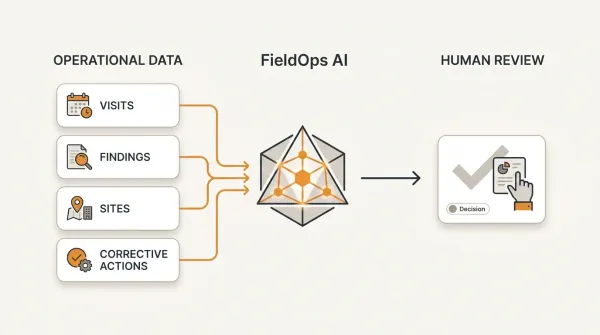
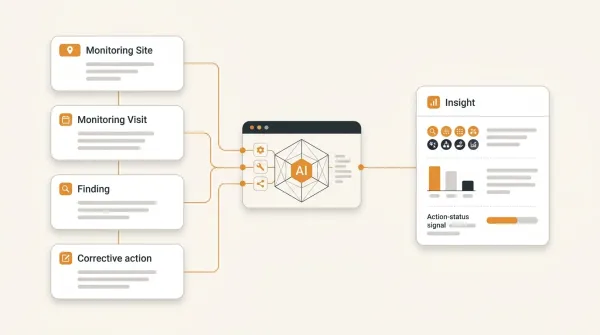
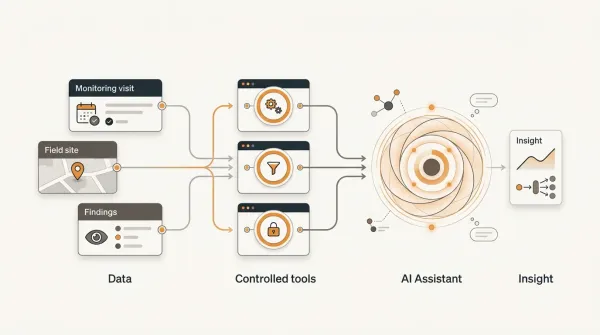
FieldOps is designed around the operational monitoring layer that sits between data collection and program decision-making.
An organization can continue using ODK for field data collection while using FieldOps to organize the monitoring operation around:
Organization → Program → Project → Site → Visit
and then:
Responses → Indicators → Findings → Actions → Performance
This means the organization can preserve its existing field data collection workflows while gaining a structured way to manage what happens after data is collected.
For example, a monitoring visit can be associated with a specific project and site.
The responses from that visit can contribute to indicator performance.
Findings can be recorded against the visit.
Actions can be assigned to responsible people.
Follow-up can determine whether those actions were resolved.
Management can then see not only what was collected, but what requires attention.
The objective is not to replace ODK.
The objective is to make the information collected through ODK more operationally useful.
A practical example
Imagine an NGO running an education program across 80 schools.
Field officers conduct quarterly monitoring visits using ODK.
The ODK form captures:
- learner attendance,
- teacher attendance,
- teaching materials,
- classroom observations,
- safeguarding checks,
- infrastructure observations,
- indicator values,
- and findings.
After the submission reaches the server, the organization needs to answer several questions.
Data collection question
Did the field officer submit the form?
ODK can answer this.
Data quality question
Is the submission complete and valid?
ODK and the data-processing workflow can help answer this.
Performance question
Which schools are below the program's targets?
This requires analysis and performance tracking.
Monitoring question
Which schools have been visited this quarter?
This requires comparing expected and actual monitoring activity.
Findings question
Which schools have unresolved findings?
This requires persistent finding management.
Management question
Which schools require immediate attention?
This requires combining performance, findings and operational status.
These are different questions.
A mature M&E architecture should support all of them without requiring the M&E officer to manually assemble the answers every month.
A better workflow for the same organization
Instead of:
ODK → Export → Excel → Report
the workflow can become:
ODK
↓
Validated field submission
↓
Project + Site + Visit
↓
Indicator performance
↓
Findings
↓
Corrective actions
↓
Follow-up
↓
Management reporting
Now the organization has an operational history.
Management can ask:
Show me all schools monitored this quarter.
Then:
Which schools are below target?
Then:
Which of those have open findings?
Then:
Which actions are overdue?
Then:
Which problems are recurring?
Those questions can be answered from the same monitoring structure.
How to improve an ODK-based M&E workflow
Organizations do not need to transform everything at once.
A practical improvement process can happen in stages.
Step 1: Document what happens after submission
Ask:
What happens after an ODK form is submitted?
Write down every step.
You may discover that the workflow involves:
- downloads,
- spreadsheets,
- manual cleaning,
- email,
- reports,
- meetings,
- and separate trackers.
That is your current-state process.
Step 2: Separate collection from monitoring
Define clearly:
ODK = data collection
and identify the system responsible for:
Monitoring = visits, performance, findings and actions
This prevents one system from becoming responsible for everything.
Step 3: Establish a common project and site structure
Every monitoring record should be traceable to a known project and site.
Use stable identifiers wherever possible.
Step 4: Define indicators centrally
Document:
- indicator name,
- definition,
- target,
- calculation,
- frequency,
- data source,
- reporting period,
- and responsible owner.
This reduces inconsistent calculations across spreadsheets.
Step 5: Make findings persistent
Do not let findings exist only inside a report.
Create a structured finding record that can be followed through to resolution.
Step 6: Track actions separately from findings
A finding explains the problem.
An action explains what will be done about it.
One finding may require several actions.
The action should have:
- an owner,
- due date,
- status,
- and evidence of completion.
Step 7: Measure recurring problems
Once findings have unique identities and consistent categories, organizations can identify recurring issues.
This can reveal systemic problems that individual monitoring reports may hide.
Step 8: Automate repetitive reporting
Once the operational structure is established, automate reports that repeatedly answer the same questions.
The goal is to free M&E professionals to spend more time on analysis and learning.
Questions a mature ODK-based monitoring system should answer
A good operational M&E workflow should make it possible to answer questions such as:
Coverage
- Which sites have been monitored?
- Which sites are overdue?
- How many visits were completed this month?
Performance
- Which indicators are below target?
- Which projects are improving?
- Which sites are underperforming?
Findings
- How many findings are open?
- Which findings are high priority?
- Which findings are recurring?
Corrective action
- Which actions are overdue?
- Who owns them?
- Which actions have been completed?
- Which completed actions have been verified?
Management
- Which projects require attention?
- Which sites require intervention?
- What problems are recurring across projects?
- Where should management focus its resources?
These are the questions that turn M&E data into management intelligence.
The real limitation is often the workflow, not ODK
It is tempting to ask:
"What is missing from ODK?"
A better question is:
"What happens around ODK?"
ODK can be excellent at collecting information.
But an organization may still need dedicated capabilities for:
- project management,
- site management,
- monitoring schedules,
- performance tracking,
- findings,
- corrective actions,
- follow-up,
- and management reporting.
The solution is therefore not automatically to replace ODK.
The solution may be to connect ODK to a broader monitoring architecture.
Conclusion
ODK has solved an important problem for organizations conducting fieldwork:
How do we collect structured information digitally, including in challenging field environments?
But M&E teams face a much larger question:
How do we turn that information into an ongoing operational process for understanding performance and improving programs?
That requires more than data collection.
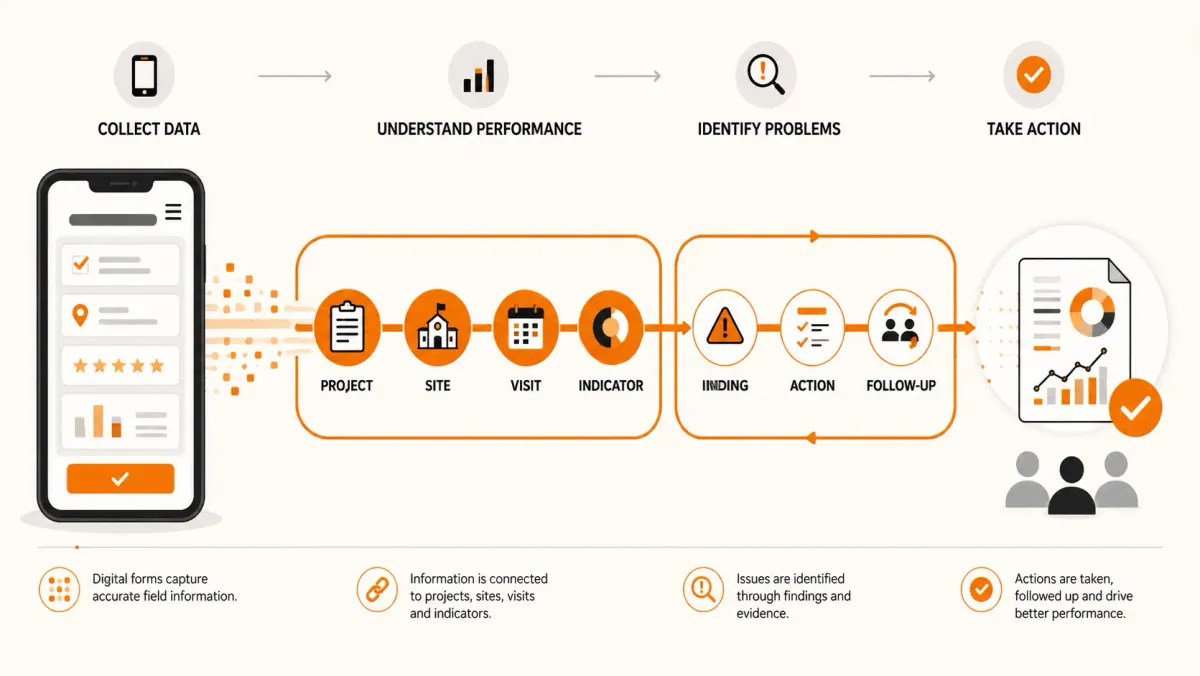
It requires a connected structure linking:
Projects → Sites → Visits → Indicators → Findings → Actions → Follow-up → Performance
Organizations using ODK do not necessarily need to abandon it.
Instead, they can build an operational monitoring layer around it.
That allows ODK to remain focused on what it does well — field data collection — while a monitoring platform manages the operational questions that arise after the data is collected.
The ultimate goal is simple:
Collect less manually, reconcile less manually, report less manually, and spend more time using evidence to improve programs.
Key takeaways
-
ODK is a powerful field data collection platform, but data collection is only one part of M&E.
-
An ODK submission is evidence; it is not automatically a complete monitoring workflow.
-
The operational layer should connect projects, sites, monitoring visits, indicators, findings and corrective actions.
-
Excel remains useful for analysis, but becomes difficult when it is responsible for persistent monitoring workflows and follow-up.
-
Findings should remain actionable after a monitoring report has been produced.
-
Recurring findings are valuable program intelligence and should be identifiable across monitoring periods.
-
Organizations do not necessarily need to replace ODK. They may need a monitoring layer around it.
-
The objective of digital M&E is not simply to collect data faster. It is to shorten the distance between evidence, action and program improvement.
Frequently asked questions
Is ODK suitable for monitoring and evaluation?
Yes. ODK is highly useful for collecting structured field data used in M&E. However, collecting monitoring data is different from managing the broader monitoring workflow, including project and site management, indicator performance, findings, corrective actions and follow-up.
Can ODK replace an M&E system?
Not necessarily. ODK can provide the data collection component of an M&E architecture. Organizations with complex monitoring workflows may need additional systems for managing projects, sites, visits, findings, actions and performance.
Can ODK data be connected to an M&E platform?
Yes. ODK data can be integrated with external systems through appropriate APIs, exports or integration workflows. The integration should include validation, mapping and stable identifiers.
Why do NGOs still use Excel after implementing ODK?
ODK primarily solves the field data collection problem. Organizations may continue using Excel for data cleaning, analysis, indicator calculations, findings tracking and reporting because those workflows were already established before digital data collection was introduced.
How should ODK data be used for M&E?
ODK data can be used as evidence within a broader monitoring workflow. Ideally, submissions should be connected to the relevant project, site, visit, indicators and reporting period, while findings and corrective actions are tracked separately through to resolution.
How can organizations reduce manual ODK reporting?
The first step is to identify which parts of the workflow are repetitive. Common candidates include data exports, site matching, indicator calculations, findings trackers, corrective-action tracking and recurring reports. These processes can then be standardized and automated where appropriate.
Can FieldOps work with ODK?
Yes. FieldOps can provide an operational monitoring layer around existing data collection systems such as ODK. The purpose is to connect field information to projects, sites, visits, findings, actions and performance without requiring the organization to replace its existing data collection workflow.
Move beyond data collection
FieldOps helps NGOs manage field visits, monitoring templates, findings, corrective actions, dashboards and donor reporting in one operational intelligence platform.
Learn more about FieldOps